


Last updated: April 11, 2026
ChatGPT has moved from novelty to essential business tool. Companies that use it well save hundreds of hours per month on writing, research, and analysis. Here’s a practical guide to using ChatGPT for business in 2026 — including the use cases that actually move the needle.
10 Ways Businesses Use ChatGPT in 2026
- Drafting marketing copy — emails, ads, landing pages, social posts
- Customer support — generating responses, building chatbots, summarizing tickets
- Sales prospecting — researching companies, drafting cold emails, qualifying leads
- Content creation — blog posts, video scripts, podcast outlines
- Data analysis — interpreting spreadsheets, generating SQL, creating charts
- Internal documentation — SOPs, training materials, knowledge bases
- Recruiting — writing job posts, screening resumes, drafting interview questions
- Translation — localizing content for international markets
- Meeting notes — summarizing recordings, extracting action items
- Code generation — automating repetitive scripts, debugging
ChatGPT Plans for Business
| Plan | Price | Best For |
|---|---|---|
| Free | $0 | Individual experimentation |
| Plus | $20/mo | Solo professionals, freelancers |
| Team | $25/user/mo | Small teams (2–149 users) |
| Enterprise | Custom | Large companies (150+ users) |
Team and Enterprise plans include data privacy guarantees — your company’s prompts are not used to train OpenAI’s models. This is critical for any business handling client information, financial data, or trade secrets.
5 High-Impact Use Cases

1. Email Drafting and Inbox Triage
Forward an email to ChatGPT, ask for a reply in your tone, and refine in 30 seconds. Companies using ChatGPT for email report saving 5–8 hours per week per knowledge worker. Use the GPT-4 Turbo model for the best tone matching.
2. Sales Outreach at Scale
Feed ChatGPT a prospect’s LinkedIn profile and your value proposition. It generates a personalized cold email in seconds. Sales teams using this approach see 2–3x higher response rates than generic templates.
3. Customer Support Automation
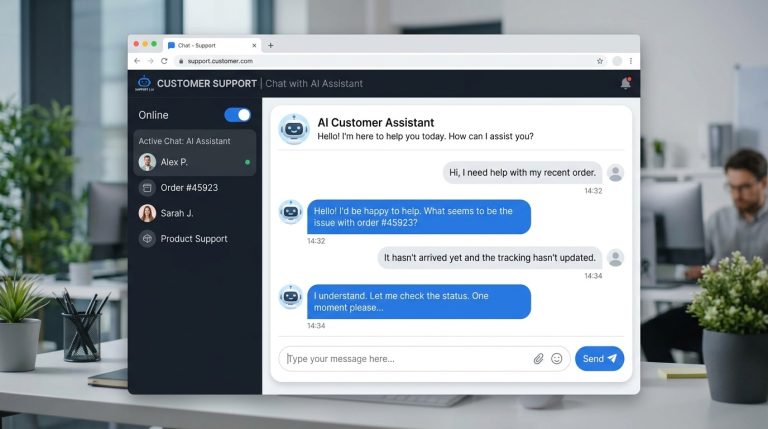
Build a custom GPT trained on your product documentation. It can answer 60–70% of customer questions automatically, escalating only complex issues to human agents. Companies like Klarna report handling 2.3 million support conversations with AI in their first month.
4. Content Marketing
Use ChatGPT to research topics, generate outlines, draft sections, and optimize for SEO. Teams that combine ChatGPT with human editing produce 5–10x more content at the same quality level.
5. Data Analysis with Code Interpreter
Upload a CSV to ChatGPT (Plus or higher) and ask questions in plain English. It writes Python code, runs the analysis, and returns charts. Non-technical employees can now do work that previously required a data analyst.
Building Custom GPTs
The custom GPT feature (available on Plus, Team, and Enterprise) lets you create specialized assistants for your business. Examples:
- Brand Voice GPT — trained on your past content, produces copy in your exact tone
- Sales Coach GPT — answers product questions and provides objection handling
- HR Assistant GPT — answers employee questions about policies and benefits
- Code Reviewer GPT — checks pull requests against your team’s standards
Common Mistakes to Avoid
- Pasting confidential data on the free plan. Your prompts may be used for training. Use Team or Enterprise.
- Trusting outputs without verification. ChatGPT confidently makes things up — always fact-check.
- Skipping the system prompt. A clear role and tone instruction dramatically improves output quality.
- Using it for everything. ChatGPT is great for drafts but weak at original thinking and judgment calls.
- Not training your team. Productivity gains depend on prompt quality. Run a 1-hour internal workshop.
Measuring ROI
Track time saved per task category. A typical knowledge worker on ChatGPT Team ($25/month) saves 5–10 hours per month on writing alone. At $50/hour fully loaded cost, that’s $250–500/month in productivity gains — a 10–20x return.
FAQ
Is ChatGPT safe for business use?
Yes, on Team and Enterprise plans where OpenAI guarantees that prompts are not used for training and data is encrypted. Avoid pasting sensitive data into the free or Plus plans.
Will ChatGPT replace employees?
It augments rather than replaces. Routine writing, research, and data tasks become faster, freeing employees for strategic work. Companies using ChatGPT well are typically growing — not cutting headcount.
How do I train my team to use ChatGPT effectively?
Start with 5 high-value use cases specific to your business. Provide prompt templates. Set up a shared library of effective prompts. Most teams see significant gains within 2 weeks.
What’s the difference between ChatGPT and a custom GPT?
ChatGPT is the general-purpose chatbot. A custom GPT is a specialized version with your own instructions, files, and knowledge — better for repeatable business tasks.