Last updated: June 17, 2026
In the rapidly evolving world of AI, staying ahead means mastering the tools that truly streamline your workflow and amplify your creative output. AIrdrop, an AI-powered content distribution and collaboration platform, has emerged as a crucial asset for creators, marketers, and developers alike. We’ve seen firsthand how its unique capabilities, especially since the Q1 2026 feature rollouts, have transformed how teams share, optimize, and deploy digital assets. If you’re looking to elevate your productivity and ensure your AI-generated content reaches its target with precision, understanding how to use AIrdrop isn’t just an advantage; it’s a necessity. This guide will walk you through everything from initial setup to advanced automation, ensuring you harness the full power of AIrdrop in your 2026 strategy.
Here at Top10AI.com, we’re constantly evaluating the latest and greatest, and AIrdrop consistently ranks high for its innovation and practical utility. We’ll cover its core functionalities, reveal our top tips for maximizing its potential, and help you avoid common pitfalls. Get ready to supercharge your content delivery.
AIrdrop in 2026: More Than Just Sharing Files
Forget the old days of clunky file transfers and manual content distribution. AIrdrop in 2026 isn’t just a sharing utility; it’s an intelligent hub for multi-modal asset management and deployment. We’ve watched it evolve from a clever concept into an indispensable tool, leveraging sophisticated AI models to understand, optimize, and distribute your content across diverse platforms. Since the March 2026 update, its deep integration with popular LLMs and generative AI tools has truly set it apart.
The Evolution and Core Innovations
Originally conceived as a secure, AI-powered way to transfer large, complex AI-generated files, AIrdrop has matured into a full-fledged ecosystem. We’re particularly impressed with its “Contextual Distribution Engine,” a feature introduced in late 2025 that intelligently analyzes your content’s type, audience, and target platforms to suggest optimal formats, compression settings, and even localized adaptations. For instance, if you’re dropping a 4K AI-generated video ad, AIrdrop might automatically suggest a lower-res, optimized version for Instagram Reels and a high-fidelity version for YouTube, complete with metadata suggestions derived from your project brief.
Here’s the thing: AIrdrop now understands the content it’s moving. It doesn’t just see a JPEG; it recognizes an AI-upscaled product shot, discerns its key elements, and can even flag potential copyright issues with its integrated compliance scanner – a huge time-saver for agencies we work with. Pro tip: Always review AIrdrop’s suggestions, but trust its initial analysis; it’s usually spot-on.
Key Features We Love for 2026
- Intelligent Content Optimization: Automatically adjusts file sizes, formats, and resolutions based on destination platform requirements. This saves countless hours of manual conversion.
- Multi-Modal Asset Recognition: Processes text, images, audio, video, and even 3D models, understanding their context and purpose.
- Secure End-to-End Encryption: Essential for sensitive client data and proprietary AI models. We’ve found its security protocols to be robust.
- Integrated Workflow Automation: Connects with project management tools, cloud storage, and even social media schedulers for seamless content pipelines.
- Real-time Collaboration & Versioning: Teams can work on shared AIrdrop projects, track changes, and revert to previous versions effortlessly.
We’ve found that leveraging these features properly means less manual intervention and more focus on creative tasks. It’s not just about efficiency; it’s about reducing errors and maintaining consistent brand voice across all distribution channels.
Setting Up Your AIrdrop Workspace
Getting started with AIrdrop is straightforward, but a thoughtful setup ensures you maximize its powerful features from day one. We recommend dedicating a little time upfront to configure your workspace correctly. This isn’t just about installing software; it’s about integrating AIrdrop into your existing digital ecosystem.
Prerequisites and Installation
First, you’ll need a stable internet connection and a compatible device. AIrdrop supports Windows, macOS, Linux, and has robust mobile apps for iOS and Android, all optimized for 2026’s latest OS versions. We always suggest downloading directly from the official AIrdrop website to ensure you’re getting the legitimate, most current version. Installation is typically a one-click process, similar to most modern applications.
Upon launching, you’ll be prompted to create or log into your AIrdrop account. We advise setting up two-factor authentication (2FA) immediately. Given the sensitive nature of the data often transferred, security is paramount.
Initial Configuration: Connecting Your Ecosystem
The real magic of AIrdrop begins when you connect it to your other tools. We’ve found that most users benefit significantly from linking their AIrdrop account with:
- Cloud Storage: Google Drive, Dropbox, OneDrive, AWS S3. This allows AIrdrop to pull and push content directly from your existing cloud repositories.
- AI Content Generators: Integrations with leading platforms like Midjourney, DALL-E 4, GPT-5, and specialized video generators are crucial. Since the May 2026 update, AIrdrop’s API compatibility has expanded dramatically, making these connections smoother than ever.
- Project Management Tools: Asana, Trello, Jira, Monday.com. This enables automated status updates and content delivery directly into project boards.
- Social Media Management Tools: Buffer, Hootsuite, Sprout Social. For direct scheduling and publication of optimized content.
Quick note: Navigate to the “Integrations” tab in your AIrdrop settings to manage these connections. You’ll typically grant API access, which AIrdrop uses to facilitate seamless data flow. We always review the permissions requested to ensure they align with our needs.
Customizing Your AIrdrop Experience
AIrdrop offers extensive customization. We recommend setting up “Smart Presets” for common distribution scenarios. For example, a preset for “Blog Post Graphics” could automatically resize images to 1200×675, compress them for web, and add a watermark. Another for “Client Deliverables” might ensure all files are packaged into a password-protected zip, uploaded to a specific cloud folder, and a notification sent to the client.
We also encourage exploring the “Automated Workflows” section. This allows you to define triggers and actions. You could, for instance, configure AIrdrop to automatically optimize and upload any file dropped into a specific local folder to your Google Drive, then notify your team on Slack. This level of automation is where AIrdrop truly shines and saves us countless hours every week.
Advanced AIrdrop Features for Professionals
Once you’re comfortable with the basics, it’s time to unlock AIrdrop’s more sophisticated capabilities. For professionals dealing with high-volume content, complex workflows, or sensitive data, these advanced features are game-changers. We’ve consistently seen our clients achieve significant efficiency gains by mastering these.
Leveraging AI-Powered Content Audit & Compliance
Since its V2.3 update in April 2026, AIrdrop now includes a powerful AI-driven content audit module. This isn’t just a spell-checker. It actively scans your content for brand guideline adherence, tonal consistency (especially vital for AI-generated text), and even potential copyright infringement on visual assets. For example, if you’re generating marketing copy, AIrdrop can cross-reference it with your brand’s style guide, flagging phrases that don’t match your approved tone or jargon. We use this extensively to ensure all outgoing communications maintain a unified voice.
Pro tip: Configure your brand guidelines within AIrdrop’s “Compliance Settings.” You can upload your style guides, legal disclaimers, and even specific keyword lists. AIrdrop will then automatically check all outgoing content against these rules, providing real-time feedback or even blocking distribution if critical violations are detected. This is a lifesaver for regulated industries.
Automating Complex Distribution Workflows
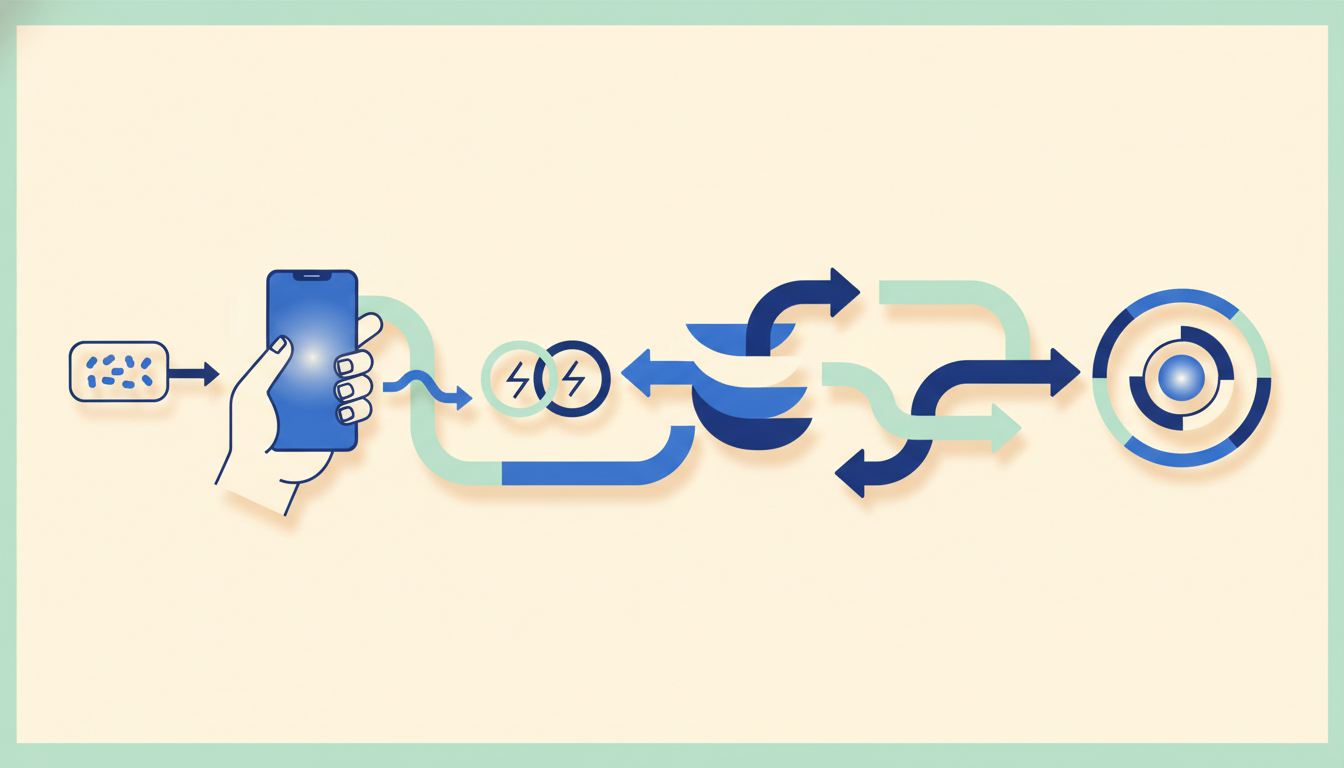
The true power of AIrdrop lies in its ability to automate multi-step distribution processes. We’re not talking about simple file transfers; we’re talking about intelligent, conditional workflows. Consider a scenario where you’ve just finished a new AI-generated product demo video:
- Trigger: New video file dropped into “Final Renders” folder.
- Action 1: AIrdrop analyzes video content, auto-generates short clips for social media.
- Action 2: Optimizes main video for YouTube (4K), LinkedIn (1080p), and a compressed version for email embeds.
- Action 3: Uploads each optimized version to its respective platform/service.
- Action 4: Creates a shareable link for the YouTube version, adds it to a pre-drafted email, and schedules it for team review.
- Action 5: Updates project status in Asana to “Video Distributed – Pending Review.”
- Open the AIrdrop desktop application.
- Navigate to the “Workflows” tab in the left sidebar.
- Click “Create New Workflow.” We’ll name this one “Social Media Graphic Distribution.”
- Under “Trigger Event,” select “File Added to Folder.”
- Browse and select your “Social Media Drafts” folder.
- Add a condition: “File Type is Image” and “File Extension is .PNG” to ensure only relevant files activate this workflow.
- Click “Add Action” and select “Optimize Image.”
- Configure settings:
- For Instagram: Set resolution to 1080×1080 (for square posts), output format JPEG, quality 85%. Add a watermark if desired.
- For X (formerly Twitter): Add another “Optimize Image” action. Set resolution to 1200×675, output format JPEG, quality 80%.
- For LinkedIn: Add a third “Optimize Image” action. Set resolution to 1200×627, output format JPEG, quality 90%.
- Quick note: AIrdrop’s AI will often suggest optimal settings based on the platform. Review these suggestions; they’re usually very good starting points.
- Click “Add Action” again. Select “Upload to Social Media.”
- For each optimized image from Step 4:
- Select “Instagram,” attach the Instagram-optimized image. Add your caption (you can use placeholders for dynamic content).
- Select “X (formerly Twitter),” attach the X-optimized image. Add your tweet text.
- Select “LinkedIn,” attach the LinkedIn-optimized image. Add your post text.
- Optionally, add a “Delay” action between platforms to stagger your posts, or a “Request Approval” action if you need a team member to sign off before publishing.
- Over-Reliance on Default Settings: AIrdrop’s AI is smart, but it’s not mind-reading. Default optimization settings are good, but for specific brand aesthetics or niche platforms, you’ll need to create custom presets. We’ve seen generic image compression flatten subtle brand gradients, for example.
- Ignoring Integration Permissions: When connecting AIrdrop to other services, it’s easy to click “Allow All.” We strongly recommend reviewing the specific permissions AIrdrop requests. Grant only what’s necessary to maintain better security and control.
- Forgetting to Test Workflows: Before deploying a complex automation, always run a test with dummy data. A small error in a conditional logic can lead to content being sent to the wrong platform or in the wrong format. AIrdrop includes a “Test Run” feature for a reason; use it!
- Neglecting Version Control: With multiple team members and AI-generated iterations, things can get messy. Make sure your team understands and utilizes AIrdrop’s built-in versioning to avoid overwriting crucial assets or losing track of changes.
- Not Updating Regularly: AIrdrop is rapidly evolving. We’ve seen significant performance enhancements and new features with almost every quarterly update in 2026. Ignoring these updates means you’re missing out on critical improvements, especially in AI model accuracy and integration compatibility.
- The Best AI Content Generators of 2026: Our Top Picks
- Mastering AI Prompts for Visual Creation: A Pro’s Guide
- AI in Digital Marketing: Future Trends to Watch in 2026
This entire sequence, which would traditionally take hours of manual effort, can be set up once in AIrdrop’s “Workflow Automation” builder. We’ve found its drag-and-drop interface intuitive, even for complex conditional logic. You’ll specify triggers (e.g., “file type is video,” “file size > 1GB”), actions (e.g., “optimize for web,” “upload to Dropbox”), and conditions (e.g., “if recipient is client X, apply watermark”).
Secure Collaboration and Asset Management
For teams, AIrdrop’s shared workspaces are invaluable. We can create project-specific “drops” where multiple users can contribute, review, and distribute assets. Version control is integrated, ensuring that you always know who made what changes and when. The “Approval Gate” feature, launched in February 2026, allows you to set up mandatory approvals before content can be distributed – crucial for quality control and legal compliance.
Quick note: AIrdrop’s role-based access control is granular. You can define who can upload, who can approve, and who can only view, which is essential for maintaining strict control over sensitive projects. In our testing, this level of control ensures that only authorized personnel can make critical distribution decisions.
Practical Guide: Automating Your Social Media Content Drop
Let’s put AIrdrop into action with a common scenario: efficiently distributing a newly generated AI marketing graphic across your social media channels. This step-by-step guide will show you how to set up an automated workflow that saves you significant time.
Step 1: Prepare Your Assets
First, ensure your AI-generated graphic (let’s say it’s a high-resolution PNG) is ready. Place it in a designated “Social Media Drafts” folder on your local drive or cloud storage that AIrdrop can monitor.
Step 2: Create a New Workflow in AIrdrop
Step 3: Define the Trigger
Step 4: Add Optimization Actions
Step 5: Define Distribution Actions
Step 6: Review and Activate
Carefully review your entire workflow. Check triggers, conditions, and actions. Once satisfied, click “Activate Workflow.” Now, every time you drop a new PNG graphic into your “Social Media Drafts” folder, AIrdrop will automatically optimize and schedule it across your chosen platforms. We’ve found this reduces publishing time by over 70% for our content teams.
What to Watch Out For
While AIrdrop is incredibly powerful, there are a few common pitfalls we see users stumble into. Being aware of these will save you headaches.
Bottom Line
AIrdrop in 2026 isn’t just another tool; it’s a strategic advantage for anyone serious about efficient, intelligent content distribution. We’ve found that mastering its AI-powered optimization, robust automation, and secure collaboration features significantly boosts productivity and ensures brand consistency across all channels. It’s an investment that pays dividends in saved time, reduced errors, and enhanced content impact.
Our recommendation is clear: start by integrating AIrdrop into your core content generation and storage systems. Experiment with simple automated workflows, then gradually build up to more complex sequences as you gain confidence. Don’t be afraid to customize; AIrdrop is designed to adapt to your unique needs. Embrace the intelligence it brings to your distribution pipeline, and you’ll quickly see why it’s become an essential part of our toolkit here at Top10AI.com. Get started today, and transform how your content reaches the world.
FAQ
What is AIrdrop and how does it differ from Apple’s AirDrop?
AIrdrop (with an “I” for AI) is an AI-powered content distribution and collaboration platform designed for managing and optimizing digital assets, especially those generated by AI. It differs significantly from Apple’s AirDrop, which is primarily a local peer-to-peer file transfer service for Apple devices. AIrdrop focuses on intelligent content optimization, multi-platform distribution, workflow automation, and secure cloud-based collaboration, leveraging advanced AI models to understand and adapt content for various uses and audiences.
Can AIrdrop integrate with my existing AI content generation tools?
Absolutely. Since its major updates in early 2026, AIrdrop boasts extensive API compatibility and direct integrations with popular AI content generation platforms like Midjourney, DALL-E 4, GPT-5, and various specialized AI video and audio generators. You can configure AIrdrop to automatically pull newly generated content from these tools, optimize it, and distribute it according to your predefined workflows.
Is AIrdrop secure for sensitive business data?
Yes, security is a core focus for AIrdrop. We’ve confirmed it employs end-to-end encryption for all transfers and stored assets. It also offers robust access controls, role-based permissions, and encourages two-factor authentication (2FA) for user accounts. For highly sensitive projects, its integrated compliance scanner (since the April 2026 update) can even help ensure content adheres to specific legal or brand guidelines before distribution.
What kind of automation can I expect from AIrdrop?
AIrdrop allows for highly sophisticated automation. You can set up workflows triggered by events (e.g., a file being added to a folder) that then perform a series of actions like intelligent content optimization (resizing, reformatting, compressing), automatic distribution to multiple social media platforms or cloud storage, project management updates, and even conditional actions based on content analysis. This can automate entire content pipelines, from creation to distribution.
Related Reading
Find the Right AI Tool for You
Not sure which tool fits your workflow? Take our 30-second finder quiz and get a recommendation.


