Content marketing is evolving fast — and AI tools are now essential for competitive teams. Here’s our curated list of the best AI tools across every content marketing function.
Best AI Writing Tools for Content
Jasper AI ($39/mo) — Brand voice consistency, 50+ templates, excellent team collaboration. Best for agencies and brands.
Writesonic ($49/mo) — SEO-first writing with unique GEO monitoring. Best for organic-focused teams.
Copy.ai ($29/mo) — Multi-model access, unlimited words, strong workflow automation. Best for GTM teams.
Best AI SEO Tools
Surfer SEO — Content optimization and keyword research. The gold standard for on-page SEO.
MarketMuse — Strategic content planning, calendars, and gap analysis.
Writesonic GEO — Track your brand’s visibility across AI platforms.
Best AI Video Tools for Content
Synthesia — AI avatar video creation. Used by 90% of Fortune 100 companies.
Descript — Convert podcasts and webinars into blog posts and social clips.
Best AI Design Tools
Canva AI — Magic Write plus design tools in one platform.
Midjourney — High-quality image generation for blog graphics and social media.
Best AI Analytics & Distribution
StoryChief — Content calendar plus multi-platform posting.
HubSpot — CRM-integrated content analytics and performance tracking.
How to Build Your AI Content Marketing Stack
Don’t try to do everything with one tool. Combine 2-3 specialized tools: one for writing (Jasper or Writesonic), one for SEO (Surfer), and one for distribution (StoryChief or HubSpot).
FAQ
What’s the best all-in-one AI tool for content marketing?
No single tool does everything well. Jasper + Surfer SEO is the most popular combination.
How much should I budget for AI content marketing tools?
$50-150/month for a solo marketer. $200-500/month for a team.
Can AI replace content marketers?
No. AI handles the heavy lifting of drafting and optimization. Humans provide strategy, creativity, and brand authenticity.
Which AI tool has the best ROI for content marketing?
Surfer SEO for optimization of existing content. Jasper for high-volume content creation.
AI chatbots are transforming customer service. The best ones now resolve 60–80% of customer inquiries without human intervention, working 24/7 in dozens of languages. Here are the top AI chatbots for customer service in 2026, with honest pricing and use case recommendations.
Top 8 AI Customer Service Chatbots
Chatbot
Best For
Starting Price
Intercom Fin
SaaS & tech companies
$0.99/resolution
Zendesk AI
Mid to large enterprises
$55/agent/mo
Ada
E-commerce & retail
Custom
Drift
B2B sales & marketing
$2,500/mo
Tidio
Small businesses
$29/mo
HubSpot Chatbot
HubSpot CRM users
Free tier
Freshchat (Freddy AI)
Multi-channel support
$19/agent/mo
LivePerson
Enterprise messaging
Custom
1. Intercom Fin — Best Overall
Fin is built on GPT-4 and trained on your help center content. It resolves 50% of customer questions on average without escalation. Pricing is per-resolution ($0.99 each), which means you only pay for value delivered. Best for SaaS companies with comprehensive documentation.
2. Zendesk AI — Best for Enterprise
Zendesk’s Advanced AI suite adds intelligent routing, agent assist, and content cues to its established ticketing platform. It’s not the smartest chatbot on the market, but it integrates seamlessly with the most-used customer service platform in enterprise.
3. Ada — Best for E-commerce
Ada specializes in retail and e-commerce. It handles order tracking, returns, refunds, and product recommendations natively. Customers like Shopify, Square, and Indigo use Ada to automate 80% of their support volume during peak shopping seasons.
4. Drift — Best for B2B Sales
Drift is conversational marketing first, customer service second. Its chatbot qualifies leads, books meetings, and routes hot prospects to sales reps in real time. Best for B2B companies where chat is part of the revenue funnel.
5. Tidio — Best for Small Business
Tidio offers a free plan that handles 100 conversations per month — enough for many solopreneurs and small e-commerce stores. Paid plans start at $29/month with full AI features. The simplest setup of any tool on this list.
6. HubSpot Chatbot — Best Free Option
If you use HubSpot CRM, the chatbot is included free. It’s not as advanced as Intercom or Ada, but the integration with your contact database means every conversation feeds directly into sales pipelines automatically.
7. Freshchat (Freddy AI) — Best Multi-channel
Freddy AI handles conversations across web chat, WhatsApp, Facebook Messenger, Apple Business Chat, and SMS — all from one inbox. Great for global brands serving customers across many platforms.
8. LivePerson — Best for Enterprise Messaging
LivePerson powers messaging for HSBC, Burberry, Vodafone, and other major brands. It handles complex use cases like account changes, banking transactions, and insurance claims. Custom-priced and built for high-volume operations.
What Modern AI Chatbots Can Do
Answer product questions from your help center
Track orders and process returns
Schedule appointments and meetings
Reset passwords and unlock accounts
Translate conversations into 50+ languages in real time
Recognize customer sentiment and escalate angry users to humans
Hand off context to live agents seamlessly
Work across web, mobile, WhatsApp, Messenger, and SMS
Show genuine empathy in difficult situations (cancellations, complaints)
Make exceptions to policy that require human judgment
Understand sarcasm or unusual phrasing reliably
Replace humans for premium or high-touch customer relationships
How to Implement AI Chat Successfully
Audit your top 50 customer questions before you start. The chatbot needs to handle these flawlessly.
Connect it to your help center so it pulls answers from existing documentation.
Set clear escalation rules — when should it hand off to a human?
Track resolution rate weekly — aim for 50% in month 1, 70% by month 6.
Listen to human agent feedback — they see patterns the chatbot misses.
FAQ
How much does an AI chatbot cost?
Free for small business (HubSpot, Tidio free tier) up to enterprise contracts of $50,000+/year for LivePerson or Zendesk Suite. Most growing companies spend $200–$2,000/month.
Will AI chatbots replace customer service jobs?
They eliminate routine inquiries, but most successful implementations redeploy agents to handle complex cases, retention, and high-value customers — improving job quality rather than eliminating jobs.
How long does it take to set up an AI chatbot?
Simple deployments (Tidio, HubSpot) take a few hours. Mid-tier (Intercom Fin) takes 2–4 weeks. Enterprise (Zendesk AI, LivePerson) takes 2–6 months including training and integrations.
Which AI chatbot has the highest resolution rate?
Intercom Fin and Ada consistently report 60–70% autonomous resolution rates with mature deployments. Results depend heavily on the quality of your help documentation.
ChatGPT has moved from novelty to essential business tool. Companies that use it well save hundreds of hours per month on writing, research, and analysis. Here’s a practical guide to using ChatGPT for business in 2026 — including the use cases that actually move the needle.
10 Ways Businesses Use ChatGPT in 2026
Drafting marketing copy — emails, ads, landing pages, social posts
Customer support — generating responses, building chatbots, summarizing tickets
Sales prospecting — researching companies, drafting cold emails, qualifying leads
Content creation — blog posts, video scripts, podcast outlines
Data analysis — interpreting spreadsheets, generating SQL, creating charts
Internal documentation — SOPs, training materials, knowledge bases
Team and Enterprise plans include data privacy guarantees — your company’s prompts are not used to train OpenAI’s models. This is critical for any business handling client information, financial data, or trade secrets.
5 High-Impact Use Cases
1. Email Drafting and Inbox Triage
Forward an email to ChatGPT, ask for a reply in your tone, and refine in 30 seconds. Companies using ChatGPT for email report saving 5–8 hours per week per knowledge worker. Use the GPT-4 Turbo model for the best tone matching.
2. Sales Outreach at Scale
Feed ChatGPT a prospect’s LinkedIn profile and your value proposition. It generates a personalized cold email in seconds. Sales teams using this approach see 2–3x higher response rates than generic templates.
3. Customer Support Automation
Build a custom GPT trained on your product documentation. It can answer 60–70% of customer questions automatically, escalating only complex issues to human agents. Companies like Klarna report handling 2.3 million support conversations with AI in their first month.
4. Content Marketing
Use ChatGPT to research topics, generate outlines, draft sections, and optimize for SEO. Teams that combine ChatGPT with human editing produce 5–10x more content at the same quality level.
5. Data Analysis with Code Interpreter
Upload a CSV to ChatGPT (Plus or higher) and ask questions in plain English. It writes Python code, runs the analysis, and returns charts. Non-technical employees can now do work that previously required a data analyst.
Building Custom GPTs
The custom GPT feature (available on Plus, Team, and Enterprise) lets you create specialized assistants for your business. Examples:
Brand Voice GPT — trained on your past content, produces copy in your exact tone
HR Assistant GPT — answers employee questions about policies and benefits
Code Reviewer GPT — checks pull requests against your team’s standards
Common Mistakes to Avoid
Pasting confidential data on the free plan. Your prompts may be used for training. Use Team or Enterprise.
Trusting outputs without verification. ChatGPT confidently makes things up — always fact-check.
Skipping the system prompt. A clear role and tone instruction dramatically improves output quality.
Using it for everything. ChatGPT is great for drafts but weak at original thinking and judgment calls.
Not training your team. Productivity gains depend on prompt quality. Run a 1-hour internal workshop.
Measuring ROI
Track time saved per task category. A typical knowledge worker on ChatGPT Team ($25/month) saves 5–10 hours per month on writing alone. At $50/hour fully loaded cost, that’s $250–500/month in productivity gains — a 10–20x return.
FAQ
Is ChatGPT safe for business use?
Yes, on Team and Enterprise plans where OpenAI guarantees that prompts are not used for training and data is encrypted. Avoid pasting sensitive data into the free or Plus plans.
Will ChatGPT replace employees?
It augments rather than replaces. Routine writing, research, and data tasks become faster, freeing employees for strategic work. Companies using ChatGPT well are typically growing — not cutting headcount.
How do I train my team to use ChatGPT effectively?
Start with 5 high-value use cases specific to your business. Provide prompt templates. Set up a shared library of effective prompts. Most teams see significant gains within 2 weeks.
What’s the difference between ChatGPT and a custom GPT?
ChatGPT is the general-purpose chatbot. A custom GPT is a specialized version with your own instructions, files, and knowledge — better for repeatable business tasks.
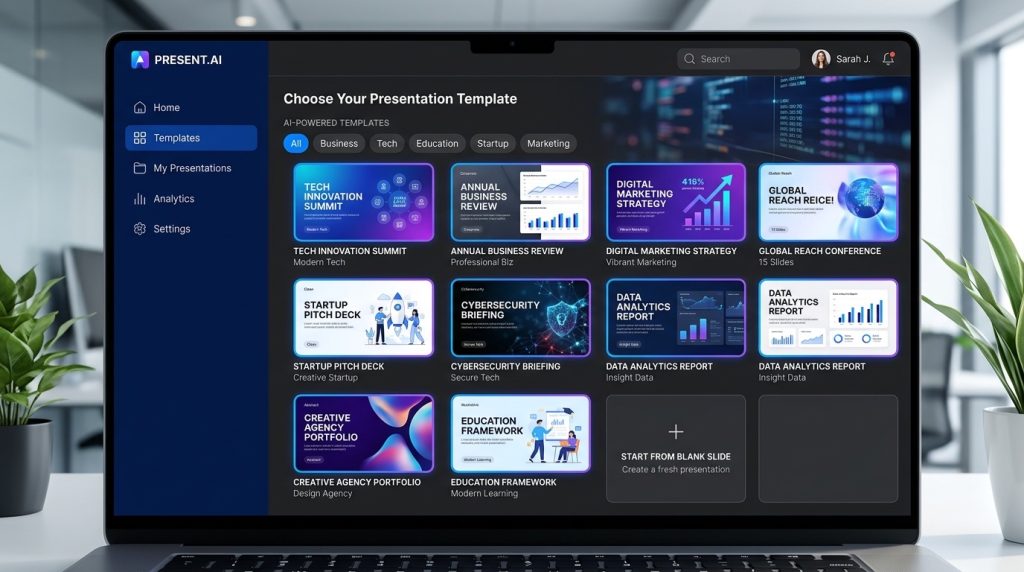
Building a great presentation takes hours — but AI can do it in minutes. The latest AI presentation makers create entire slide decks from a single prompt, complete with visuals, layouts, and speaker notes. Here are the 8 best AI presentation tools in 2026.
Top 8 AI Presentation Makers
Tool
Best For
Free Plan
Paid From
Gamma
Beautiful design, fast generation
Yes (400 credits)
$10/mo
Tome
Storytelling decks
Yes
$16/mo
Beautiful.ai
Brand consistency
14-day trial
$12/mo
Canva Magic Design
All-in-one creators
Yes
$15/mo
SlidesAI
Google Slides users
Yes (3 decks)
$10/mo
Decktopus
Sales pitches
Limited
$10/mo
Plus AI
Google Slides + edits
7-day trial
$15/mo
Presentations.AI
Enterprise teams
Yes
$12/mo
1. Gamma — Best Overall
Gamma is the runaway leader in AI presentations for 2026. Type a prompt or paste an outline, and Gamma generates a polished deck with images, charts, and layout variations within 30 seconds. The free plan is generous, and the AI auto-fits content to slides without overflow — a problem most other tools still struggle with.
2. Tome — Best for Storytelling
Tome focuses on narrative-driven presentations. Its AI doesn’t just create slides — it builds a story arc with logical flow. Great for keynote-style talks, pitch decks, and educational content. Tome integrates with Figma and includes built-in image generation via DALL-E.
3. Beautiful.ai — Best for Brand Consistency
Beautiful.ai uses smart templates that automatically maintain alignment, spacing, and color harmony as you edit. The AI Designer suggests layout improvements in real time. It’s the best choice for teams that need every deck to match brand guidelines without manual formatting.
4. Canva Magic Design
If you already use Canva for graphics, Magic Design adds AI presentation generation to your existing workflow. It’s not the most sophisticated option, but it’s deeply integrated with Canva’s massive template and stock photo library. Best for content creators and marketers who need versatility beyond presentations.
5. SlidesAI — Best Google Slides Add-on
SlidesAI works as a Google Slides extension. Paste your text, choose a style, and SlidesAI generates a complete deck inside Google Slides — no exporting required. Perfect for teams locked into Google Workspace. The free plan covers 3 presentations per month.
6. Decktopus — Best for Sales Pitches
Decktopus specializes in sales and business presentations. Its AI asks targeted questions about your audience, goal, and tone, then builds a deck optimized for persuasion. Includes built-in form integration for lead capture during live presentations.
7. Plus AI for Google Slides
Plus AI brings ChatGPT-quality content generation directly into Google Slides. Unlike SlidesAI, Plus AI also lets you regenerate individual slides, edit text inline with AI, and translate decks into multiple languages. Excellent for international teams.
8. Presentations.AI — Best for Enterprise
Presentations.AI is built for teams. It includes brand kits, collaboration features, version history, and analytics that show which slides viewers spend the most time on. The enterprise plan includes SSO, custom integrations, and dedicated support.
How to Choose
Need beautiful decks fast? Use Gamma — best free tier and quality combo.
Already in Google Slides? Use SlidesAI or Plus AI for native integration.
Selling something? Decktopus is built specifically for pitches.
Story-driven content? Tome creates narrative arcs other tools miss.
What AI Presentation Makers Cannot Do (Yet)
AI tools generate great first drafts, but they still struggle with: complex data visualizations, proprietary product screenshots, industry-specific terminology, and animations beyond basic transitions. Plan to spend 15–20 minutes editing the AI’s output for any high-stakes presentation.
FAQ
Are AI presentation makers free?
Most have free tiers (Gamma, Tome, SlidesAI, Canva). Free plans typically limit you to 3–5 decks per month or restrict export formats. Paid plans start around $10/month.
Can AI make presentations as good as a designer?
For standard business decks, yes — Gamma and Beautiful.ai produce results comparable to mid-level designers. For highly branded or creative projects, you’ll still want human design expertise.
Which AI presentation tool has the best free plan?
Gamma offers 400 credits free (enough for 5–10 full decks). Canva Magic Design is also free but limited to basic templates. SlidesAI gives 3 free presentations per month inside Google Slides.
Can I export AI-generated decks to PowerPoint?
Yes — Gamma, Beautiful.ai, Tome, and Decktopus all support PPTX export. SlidesAI and Plus AI work natively in Google Slides which can also export to PPTX.
Paid AI tools get the headlines, but most of what everyday users need is available for free. ChatGPT, Gemini, Claude, and Microsoft Copilot all have capable free tiers, and there are dozens of purpose-built free tools for writing, images, code, and video. Here are 25 AI tools that cost nothing in 2026 — no trial expiration, no credit card, no hidden paywalls.
Best Free AI Chatbots
1. ChatGPT (Free Tier)
GPT-4o mini, image analysis, web browsing, and limited DALL-E 3 image generation. More than enough for casual users.
2. Claude (Free Tier)
Daily access to Claude Sonnet with a generous message allowance. Arguably the best free chatbot for writing quality.
3. Google Gemini (Free)
Gemini 2.5 Flash with web search, image analysis, and direct Gmail/Docs integration. Excellent for anyone in the Google ecosystem.
4. Microsoft Copilot (Free)
GPT-4 powered, built into Bing and Edge. Includes image generation via DALL-E 3. Works on desktop, mobile, and as a Chrome extension.
5. Meta AI
Built into WhatsApp, Instagram, Messenger, and Meta.ai. Llama 4-based, unlimited conversations, integrated image generation.
Best Free AI Image Generators
6. Bing Image Creator
Free DALL-E 3 image generation, 25 fast credits per day. The best free image quality you can get without setup.
7. Google ImageFX
Free Imagen 3 generation at labs.google/fx. Beautiful photorealistic output with a clean interface.
8. Leonardo AI
150 free credits per day. Fine-tuned Stable Diffusion models optimized for art, game assets, and product photos.
9. Playground AI
Unlimited free generations with its own proprietary model, plus access to Stable Diffusion XL.
10. Krea AI
Real-time generation with immediate feedback loop. Free tier generous enough for experimentation.
Best Free AI Writing Tools
11. ChatGPT (for writing)
Free GPT-4o mini handles most writing tasks well.
12. Quillbot
Free paraphrasing, grammar checker, and summarizer. Chrome extension available.
13. Rytr (Free Plan)
10,000 characters per month free. Good for quick blog intros, email copy, and ad variations.
14. Hemingway Editor
Not AI, but pairs perfectly with AI writing tools. Free web version.
15. Grammarly (Free)
Grammar, spelling, and basic style suggestions. The free tier catches most writing mistakes.
Best Free AI Coding Tools
16. GitHub Copilot (Free for Students)
Free for verified students and open-source maintainers. Integrates with VS Code, JetBrains, and more.
17. Cursor (Free Tier)
AI-powered code editor with a generous free tier. Built on VS Code with deep AI integration.
18. Cody by Sourcegraph
Free code search and AI assistant that understands your entire repo.
19. Tabnine (Free)
Local code completion with no data leaving your machine. Great for privacy-conscious developers.
20. Codeium
Completely free code completion across 70+ languages and 40+ editors.
Best Free AI Video & Audio Tools
21. Runway (Free Tier)
125 free credits to experiment with text-to-video, video editing, and AI effects.
22. ElevenLabs (Free)
10,000 characters per month free voice generation with access to the full voice library.
23. CapCut (Free)
Full AI video editor with auto-caption, background removal, and AI effects. Completely free.
24. Descript (Free)
Free tier includes 1 hour of transcription per month and basic Overdub voice cloning.
25. Suno AI (Free Tier)
Generate full songs from text prompts. Free tier gives you 50 songs per day.
How to Use These Tools Together
The real power isn’t any single free tool — it’s combining them. A typical free workflow:
Brainstorm with ChatGPT or Claude (free tier).
Write with Gemini or ChatGPT, polish with Quillbot.
Generate hero image with Bing Image Creator.
Create voiceover with ElevenLabs free tier.
Edit the video in CapCut.
That’s a complete content workflow for $0 per month.
FAQ
Are free AI tools any good?
Yes. The free tiers of ChatGPT, Claude, and Gemini are better than paid AI tools from just 18 months ago. For casual use, most people don’t need a paid plan.
Which is the best free AI chatbot?
For writing and reasoning, Claude’s free tier is hard to beat. For multimodal (images, voice, web search), ChatGPT free or Gemini free are better choices.
Can I use free AI tools commercially?
Most allow commercial use, but check each tool’s terms. Some free tiers (Bing Image Creator, Leonardo, Playground AI) explicitly include commercial rights.
Do free AI tools have usage limits?
Almost all do. Free tiers typically cap daily or monthly messages, credits, or generations. Heavy users often combine multiple free tools to stay under each individual limit.
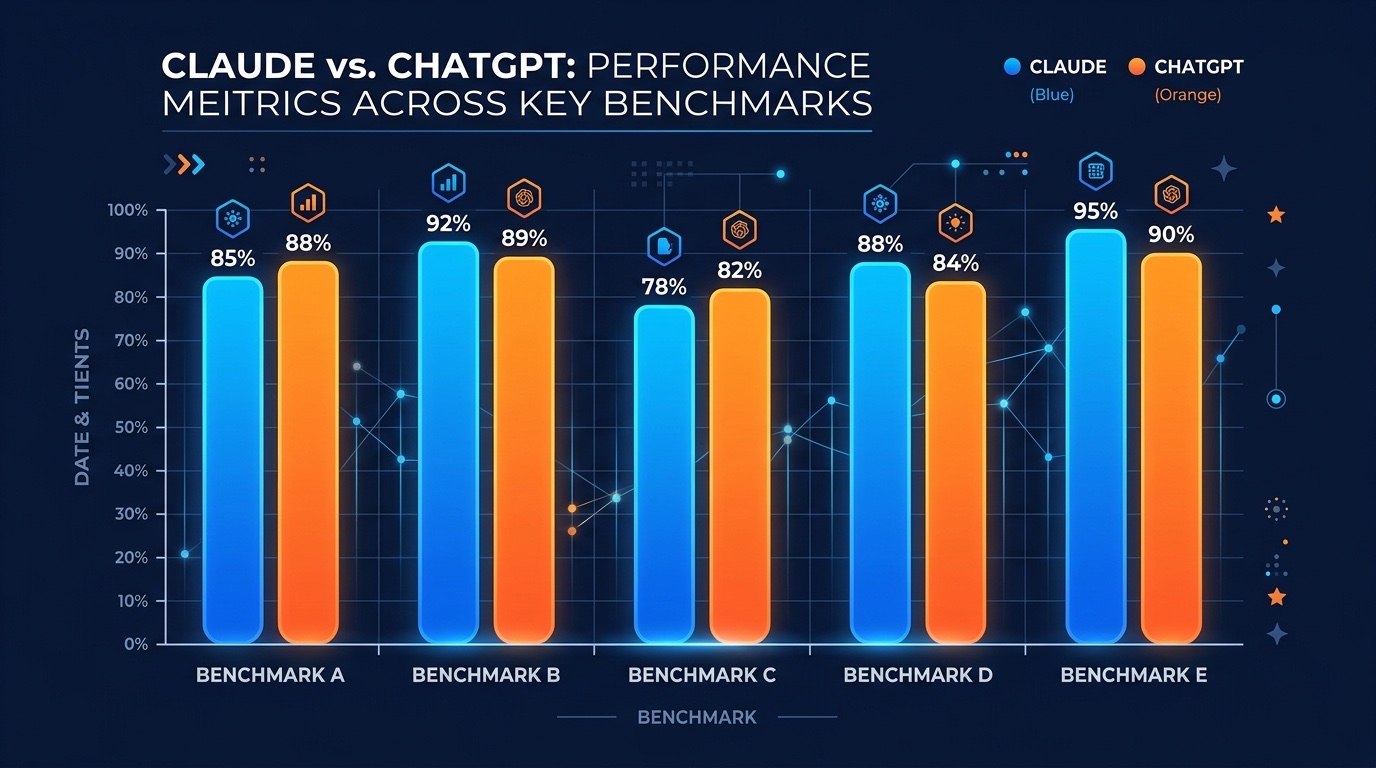
The most important AI decision you’ll make in 2026 isn’t which model is “smartest” — it’s which one fits your workflow. Claude, ChatGPT, and Gemini all clear the basic bar for writing, coding, and reasoning. But each has clear strengths, and the right choice depends entirely on what you actually do with it. Here’s the honest breakdown.
30-Second Verdict
Claude — pick if you write for a living, code in complex codebases, or need the most thoughtful long-form reasoning.
ChatGPT — pick if you want the best ecosystem: voice mode, image generation, custom GPTs, and the widest integrations.
Both, at the same time — if you can afford it. Many power users run Claude Pro and ChatGPT Plus in parallel and pick whichever fits the task.
Writing Quality
Winner: Claude. Claude 4.6 Opus produces noticeably more natural prose than ChatGPT. It’s better at holding tone and voice across a long article, avoids the “telltale AI phrases” that plague GPT output, and rarely resorts to filler. For blog posts, emails, and editorial work, most experienced writers rank Claude first.
ChatGPT still wins for short-form copy, ad hooks, and template-driven writing where you need something quick and polished.
Coding
Winner: Claude (by a small margin). Claude has led SWE-bench, HumanEval, and related benchmarks through most of 2025-2026, and it handles very large files and multi-file refactors better than GPT. The Claude Code CLI has become the default tool for serious software engineers.
ChatGPT’s Code Interpreter is still excellent for data analysis tasks, quick scripts, and anything that needs to run Python in-context. If you’re cleaning spreadsheets or generating charts from CSVs, GPT’s native code execution wins.
Reasoning & Research
Winner: Depends on the mode. ChatGPT’s o-series reasoning models outperform Claude on some hard math and science benchmarks. But for research tasks that involve reading long documents, synthesizing across multiple sources, and maintaining nuance, Claude’s extended thinking mode feels more careful and less prone to hallucination.
Context Window
Both now support very long contexts. Claude Opus 4.6 handles 200K tokens in standard mode and up to 1M with the extended context beta. GPT-4.5 and beyond offer comparable 128K-1M windows. For most users the real bottleneck isn’t the advertised max — it’s how well the model uses the context. Claude has historically been better at “needle in a haystack” retrieval inside long contexts.
Multimodal & Voice
Winner: ChatGPT. This is ChatGPT’s biggest lead. Voice Mode is smooth and natural, DALL-E 3 image generation is built in, you can share your screen in conversations, and video input works. Claude’s multimodal is still text + image only — no voice, no image generation, no video.
Ecosystem & Integrations
Winner: ChatGPT. Custom GPTs let anyone package a purpose-built assistant. The GPT Store has thousands of specialized tools. ChatGPT also integrates with Microsoft 365, Google Workspace, and countless third-party apps through Actions and plugins.
Claude is catching up through the Agent SDK, MCP (Model Context Protocol), and first-party integrations like Claude for Gmail and Claude for Chrome. Power users who work in the terminal prefer Claude Code.
Pricing (2026)
Tier
Claude
ChatGPT
Free
Claude free (rate limited)
ChatGPT free (GPT-4o mini)
Pro ($20/mo)
Claude Pro (Opus access)
Plus (GPT-4.5 + tools)
Power user ($100+/mo)
Claude Max ($100/mo)
Pro ($200/mo — unlimited o-series)
Team/Enterprise
$25/user Team
$25/user Team, Enterprise custom
When to Use Which
You write blog posts, books, or marketing copy: Claude.
You code for a living: Claude (Claude Code CLI is the default).
You do data analysis or need Python execution: ChatGPT Plus.
You want voice conversations or image generation: ChatGPT Plus.
You need to read long PDFs, contracts, or research papers: Claude.
You already pay for Microsoft 365 or Google Workspace: ChatGPT has better integrations.
You want the most custom GPT ecosystem: ChatGPT (GPT Store).
FAQ
Is Claude better than ChatGPT?
For writing quality and complex coding, yes. For ecosystem, voice, and image generation, no. The two are close enough that most power users pay for both.
Which AI is free to use?
Both offer free tiers. ChatGPT’s free tier gives you access to GPT-4o mini with limits. Claude’s free tier gives you access to Claude Sonnet with daily message limits.
Can Claude generate images?
No. Claude does not generate images as of 2026. For image generation you need ChatGPT Plus (DALL-E 3), Midjourney, or Stable Diffusion.
Which is better for coding — Claude or ChatGPT?
Claude, by most benchmarks and developer surveys. The Claude Code CLI has become the default for professional developers, especially for large codebases and multi-file edits.
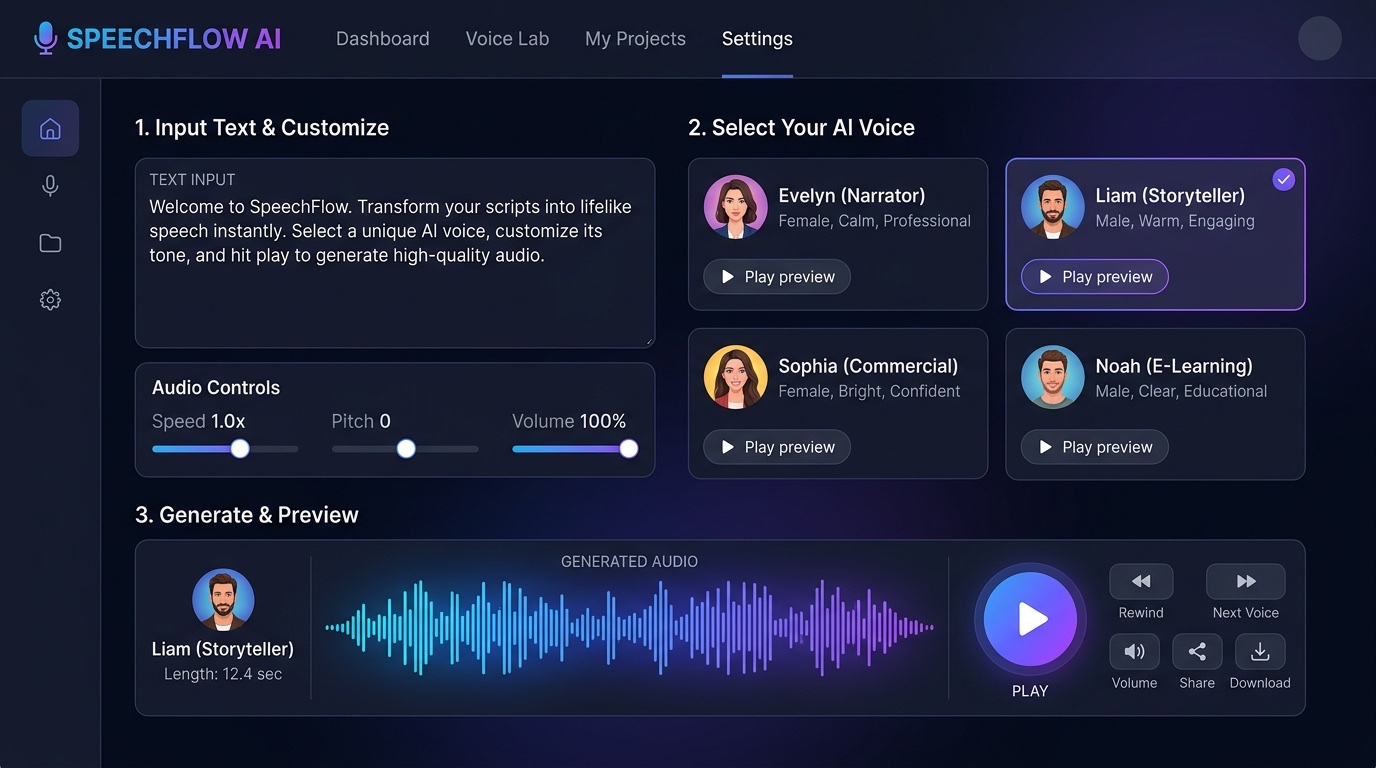
AI voice generators have gone from robotic text-to-speech to indistinguishable-from-human in under three years. In 2026, you can clone your own voice in 30 seconds, narrate a 10,000-word audiobook in minutes, or dub videos into 30 languages. Here are the 10 best AI voice generators of 2026, ranked by quality, features, and price.
Top 10 AI Voice Generators in 2026
#
Tool
Best For
Voices
Starting Price
1
ElevenLabs
Overall quality, voice cloning
3,000+
Free / $5/mo
2
Murf AI
Business videos, presentations
200+
$29/mo
3
Play.ht
Podcasts, long-form content
900+
$39/mo
4
Resemble AI
Custom voice cloning, emotion
Unlimited cloned
$19/mo
5
Speechify
Listening to articles/PDFs
200+
Free / $139/yr
6
WellSaid Labs
Corporate training, e-learning
50+ studio
$44/mo
7
Descript Overdub
Podcast editing workflow
Custom
$12/mo
8
LOVO AI
Marketing videos, ads
500+
$24/mo
9
Amazon Polly
Developers, AWS workflows
100+
Pay-as-you-go
10
Google Cloud TTS
Developers, accessibility
380+
Pay-as-you-go
1. ElevenLabs — The Gold Standard
ElevenLabs set the bar for modern AI voice generation. Its voices have genuine emotion, natural pauses, and subtle breath sounds that make them nearly impossible to distinguish from human recording. Voice cloning takes 30 seconds, and the multilingual model supports 32 languages with a single cloned voice.
Pros: Best quality on the market, generous free tier, fast cloning, 32-language support, expressive emotion control.
Cons: Usage caps on cheaper plans, strict content filter, API rate limits.
Pricing: Free (10k characters/month), Starter $5/mo, Creator $22/mo, Pro $99/mo.
2. Murf AI — Built for Business
Murf targets corporate users creating explainer videos, product demos, and training content. Its studio editor lets you layer voiceover, background music, and visuals in one timeline. The 200+ voices skew professional and polished rather than conversational.
Pros: All-in-one studio editor, strong for business content, voice changer, team collaboration.
Cons: No free tier for downloads, less expressive than ElevenLabs, limited emotion control.
Pricing: Basic $29/mo, Pro $49/mo, Enterprise custom.
3. Play.ht — The Podcaster’s Pick
Play.ht’s ultra-realistic model is purpose-built for long-form narration. It handles 10,000+ word scripts without the “drift” that plagues shorter models. Instant voice cloning from 30 seconds of audio, plus an extensive library of pre-made podcast hosts.
Cons: Expensive for casual users, interface feels dated.
4. Resemble AI — Custom Voices with Emotion
Resemble AI specializes in custom voice cloning for enterprises. Train a voice once and deploy it across emotional states (happy, angry, whispered, excited). Popular with game studios and dubbing houses.
5. Speechify — Listen to Anything
Speechify isn’t really a generator — it’s a reader. Feed it any PDF, article, email, or webpage and it reads back in high-quality voices including celebrity licenses (Snoop Dogg, Gwyneth Paltrow). Strong iOS/Android apps.
6. WellSaid Labs — Studio-Grade Voices
WellSaid trains its voices on professional voice actors in a studio, with their consent. Quality rivals ElevenLabs but skews corporate. Used by Fortune 500 companies for internal training.
7. Descript Overdub — For Podcasters
Descript lets you edit podcasts by editing the transcript. Overdub clones your voice so you can fix mistakes or add new lines by typing. Game-changing workflow for any podcast editor.
8. LOVO AI — Marketing-Focused
LOVO targets marketers and video creators. 500+ voices, emotion controls, and a simple all-in-one video editor with stock footage integration.
9. Amazon Polly — Developer API
Polly is Amazon’s TTS API. Cheap, reliable, and deeply integrated with AWS. Best for developers building voice into apps, IVR systems, or accessibility features.
10. Google Cloud TTS — 380+ Voices
Google’s WaveNet voices are high quality, and the sheer language coverage (50+ languages) makes this the top choice for global accessibility projects.
How to Pick the Right One
I need the best quality, period: ElevenLabs.
I make business videos: Murf AI or WellSaid Labs.
I’m a podcaster: Play.ht or Descript Overdub.
I want to listen to articles on my phone: Speechify.
I’m a developer: Amazon Polly or Google Cloud TTS.
I want to clone my own voice for free: ElevenLabs free tier (10k chars/mo).
FAQ
Are AI voice generators legal?
Yes, but you must own the rights to any voice you clone. Cloning a celebrity or another person’s voice without permission can violate right-of-publicity laws and platform terms of service.
Can AI voices pass as human?
The best models (ElevenLabs, Play.ht) pass blind tests most of the time, especially for shorter clips. Longer narration and emotional nuance are still tells for careful listeners.
Which AI voice generator is free?
ElevenLabs offers 10,000 characters per month free. Speechify has a free tier for basic reading. Amazon Polly gives new AWS users 5M characters free in year one.
Can I use AI voices commercially?
Yes, on paid plans. Check each tool’s license — ElevenLabs Starter+, Murf Creator+, and Play.ht all include commercial rights.
Three AI image generators dominate the market in 2026: Midjourney, DALL-E 3, and Stable Diffusion. They’re all powerful, but each one serves a completely different type of user. If you pick the wrong one, you’ll waste months fighting the tool. This guide breaks down exactly which one you should use based on what you’re actually trying to do.
The three leading AI image generators in 2026 each target a different creative audience.
Quick Verdict: Which One Should You Pick?
Midjourney — pick if you want the best-looking images with minimal effort. Best for marketers, designers, and artists.
DALL-E 3 — pick if you need accurate text rendering, fast iteration, and integration with ChatGPT. Best for content creators and casual users.
Stable Diffusion — pick if you want total control, free local generation, and custom models. Best for developers and tinkerers.
Midjourney: The Artist’s Choice
Midjourney v7 produces what most people consider the most visually stunning AI images available. Out of the box, its outputs look like professional concept art — rich colors, cinematic lighting, painterly details. You don’t need to be a prompt engineer to get great results.
Pricing: $10/mo (Basic) to $120/mo (Mega). All plans include commercial usage rights.
Strengths: Unmatched aesthetic quality, consistent style, strong community on Discord and web app.
Weaknesses: Poor text rendering, limited fine control, no free tier anymore, can feel “samey” across prompts.
DALL-E 3: The Integrated Workhorse
DALL-E 3 is built into ChatGPT Plus ($20/mo), which means you can iterate on images while chatting. It’s also the only major model that reliably renders text inside images — a huge deal for posters, memes, and UI mockups. Microsoft Designer and Bing Image Creator both run on DALL-E 3 and offer limited free usage.
Pricing: Free via Bing Image Creator, $20/mo via ChatGPT Plus.
Strengths: Best text rendering, natural language prompting, ChatGPT integration, prompt rewriting for better results.
Weaknesses: Less artistic variety than Midjourney, strict content filter, limited aspect ratios.
Stable Diffusion: The Power User’s Dream
Stable Diffusion is open source, which changes everything. You can run it locally on your own GPU, download thousands of fine-tuned community models, and control every parameter. The learning curve is steep, but no other platform offers this level of flexibility.
Pricing: Free (local) or $9/mo+ via hosted services like DreamStudio.
Strengths: Total control, free self-hosting, massive model ecosystem (Civitai, HuggingFace), ControlNet, LoRAs, inpainting, ComfyUI workflows.
Weaknesses: Steep learning curve, requires a decent GPU for local use, inconsistent quality without careful prompt work.
Head-to-Head Comparison
Feature
Midjourney
DALL-E 3
Stable Diffusion
Image Quality
9.5/10
8/10
8.5/10 (with right model)
Ease of Use
8/10
10/10
5/10
Text in Images
Poor
Excellent
Good (with SDXL/Flux)
Customization
Limited
Limited
Unlimited
Free Tier
None
Yes (Bing)
Yes (self-host)
Commercial Use
Yes ($10+)
Yes
Yes
Starting Price
$10/mo
Free / $20/mo
Free
Which Should You Use?
Content creators and marketers: Start with DALL-E 3 via ChatGPT Plus — the fastest workflow for blog images, social posts, and thumbnails.
Designers and artists: Midjourney. Nothing else matches its out-of-the-box aesthetic for concept art, storyboards, and high-end visuals.
Developers and power users: Stable Diffusion via ComfyUI. You get full control, can train your own models, and pay nothing after hardware.
Beginners who just want to play: Start free with Bing Image Creator (DALL-E 3) or DreamStudio.
FAQ
Which AI image generator has the best quality?
For pure aesthetic quality, Midjourney v7 leads. For photorealism and text accuracy, DALL-E 3 is often better. Stable Diffusion with the right fine-tuned model (like Flux or SDXL) can match both.
Can I use AI images commercially?
All three allow commercial use if you’re on a paid plan. Midjourney requires at least the $10 Basic plan. DALL-E 3 and Stable Diffusion allow commercial use across all tiers. Always check the license for the specific model you use.
Do these tools work on mobile?
Midjourney has a web app that works on mobile browsers. DALL-E 3 works through the ChatGPT mobile app. Stable Diffusion requires either a hosted service or a desktop computer.
Which is best for beginners?
DALL-E 3 via Bing Image Creator — it’s free, requires no setup, and you type plain English prompts. No Discord, no parameters, no GPUs.
Writesonic Review 2026: The AI Writer Built for SEO
Writesonic has carved out a unique position in the AI writing space by focusing heavily on SEO optimization. While competitors like Jasper emphasize brand voice and Copy.ai pushes multi-model access, Writesonic’s differentiator is its built-in SEO tools and a groundbreaking feature called Generative Engine Optimization (GEO).
What Is Writesonic?
Writesonic is an AI writing and SEO optimization platform that generates content with search rankings in mind from the first draft. It’s designed for content creators, bloggers, and agencies who prioritize organic traffic.
Key Features
AI Article Writer
Full blog post generation with built-in SEO optimization, keyword integration, and readability scoring.
Generative Engine Optimization (GEO)
Writesonic’s unique feature that tracks your brand’s visibility across AI platforms like ChatGPT, Gemini, and Google AI Overviews. This is a category-defining feature — no other writing tool offers it.
Site Audit Tools
Built-in site crawling and SEO auditing (up to 200 pages on the base plan).
Custom Writing Styles
Create and save 2-5 writing styles depending on your plan tier.
Readability Scoring
Real-time optimization suggestions to improve content readability and engagement.
Pricing
Plan
Price/Month
Articles
Key Feature
Lite
$49
15/month
Basic SEO, 2 writing styles
Standard
$79
More
Core integrations, SEO features
Professional
$149+
More
GEO access
Advanced
$200+
Unlimited
Prompt tracking, sentiment analysis
Pros and Cons
Pros: Best-in-class SEO integration, GEO feature unique in market, site audit tools included, high-quality readable output, custom writing styles.
Cons: Article limits on lower tiers, GEO only on mid-tier and above, more expensive than Rytr/Copy.ai base tiers, site audit limited to 200 pages on Lite.
Our Verdict: 8.5/10
Writesonic is the best choice for SEO-focused content creation. The GEO feature alone makes it worth considering if organic visibility matters to your business.
FAQ
Is Writesonic better than Jasper for SEO?
Yes. Writesonic’s built-in SEO tools and GEO feature give it a clear advantage for search-optimized content.
What is GEO?
Generative Engine Optimization — monitoring and optimizing your brand’s visibility across AI platforms like ChatGPT and Gemini.
Does Writesonic have a free plan?
Yes, a limited free plan exists with basic features.
How does Writesonic compare to Surfer SEO?
Writesonic generates content with SEO built in; Surfer optimizes existing content. They complement each other.
How to Use AI for Email Marketing in 2026: A Complete Guide
Email marketing delivers $36 for every $1 spent — and AI is making those returns even higher. From subject line optimization to send-time prediction, AI transforms every aspect of email marketing.
What AI Can Do for Email Marketing
Subject Line Optimization
AI analyzes thousands of subject lines and predicts open rates before you send. Tools like HubSpot and Mailchimp use AI to score and suggest subject lines.
Personalization at Scale
AI enables dynamic content blocks that change based on subscriber behavior, preferences, and demographics — without manual segmentation.
Send Time Optimization
AI determines the best send time for each individual subscriber based on their historical engagement patterns.
Segmentation & List Management
AI-powered audience clustering groups subscribers by behavior patterns rather than simple demographics.
Content Generation
Generate email copy, A/B test variations, and product recommendations automatically.
Predictive Analytics
Predict churn risk, lifetime value, and purchase likelihood for each subscriber.
Best AI Email Marketing Tools
Tool
Starting Price
Best For
HubSpot
$9/seat/mo
CRM integration
Mailchimp
Free tier
Ecommerce
ActiveCampaign
$29/mo
Complex workflows
Brevo
Free tier
Transactional + marketing
Klaviyo
Free tier
Ecommerce personalization
Step-by-Step Setup
Step 1: Choose your platform based on your needs and budget.
Step 2: Set up AI-powered segmentation to group subscribers by behavior.
Step 3: Create AI-generated subject lines and test with A/B splits.
Step 4: Build automated workflows triggered by subscriber actions.
Step 5: Use AI analytics to optimize send times and content.
Common Mistakes to Avoid
Don’t rely entirely on AI-generated copy without human review. Don’t over-segment — start simple. Don’t ignore deliverability fundamentals. Don’t forget mobile optimization.
FAQ
What’s the best AI email marketing tool for small businesses?
Mailchimp or Brevo — both have free tiers with AI features.
Can AI write entire email campaigns?
Yes, but always review and personalize the output. AI generates the draft; humans add the authenticity.
How much does AI email marketing cost?
Free tiers exist. Paid plans start at $9-29/month depending on the platform.
Does AI improve email open rates?
Yes. AI-optimized subject lines typically improve open rates by 10-30%.
GitHub Copilot vs Cursor: Which AI Coding Tool Wins in 2026?
GitHub Copilot and Cursor are the two biggest names in AI-assisted development. Both promise to supercharge your coding workflow, but they take fundamentally different approaches. This comparison breaks down which is right for you.
Quick Verdict
Category
Winner
IDE Experience
Cursor
Code Completion
Tie
Agent Mode
Cursor
Ecosystem Integration
Copilot
Pricing Value
Copilot
Enterprise Features
Copilot
Overall for Individuals
Cursor
Overall for Large Teams
Copilot
Pricing Comparison
Tier
Copilot
Cursor
Free
50 premium requests/mo
2,000 completions, 50 slow requests
Individual
$10/mo (Pro)
$20/mo (Pro)
Power User
$39/mo (Pro+)
$60/mo (Pro+)
Business
$19/user/mo
$40/user/mo
Code Completion Quality
Both tools deliver excellent inline code suggestions. Copilot has a slight edge in JavaScript/TypeScript ecosystems due to training data. Cursor excels at multi-line completions using full codebase context.
Agent Mode
This is where Cursor pulls ahead. Cursor’s agent mode can plan multi-file refactors, execute changes, run tests, and iterate. Copilot’s coding agent exists but is less mature.
Developer Experience
Cursor is a dedicated AI IDE — everything is built around AI interaction. Copilot is an extension that plugs into your existing editor (VS Code, JetBrains, Neovim, etc.).
When to Choose Copilot
Choose Copilot if you’re already deep in the GitHub ecosystem, want the lowest price ($10/mo), need enterprise features, or prefer JetBrains/Neovim over VS Code.
When to Choose Cursor
Choose Cursor if you want the most advanced agent mode, prefer an AI-first IDE experience, want multi-model flexibility, or do complex refactoring regularly.
Can You Use Both?
Yes — some developers use Copilot in JetBrains for certain projects and Cursor for others.
FAQ
Is Cursor better than GitHub Copilot?
For agent mode and AI-first coding: yes. For ecosystem integration and price: Copilot wins.
Can I use Copilot inside Cursor?
Technically yes via the VS Code extension, but Cursor’s native AI is more integrated.
Which is better for beginners?
Copilot — lower price and simpler setup.
Which has better enterprise support?
Copilot, with centralized management and compliance features.
Cursor AI Review 2026: The AI-First IDE That’s Changing How We Code
Cursor has emerged as the most talked-about AI coding tool of 2026. Built as a fork of VS Code, it feels instantly familiar to millions of developers while adding AI-native capabilities that go far beyond simple code completion. In this review, we cover everything you need to know.
What Is Cursor?
Cursor is an AI-first integrated development environment (IDE) built on the VS Code foundation. It was designed from the ground up to make AI a core part of the coding experience rather than an add-on. Your VS Code extensions, themes, and keybindings work out of the box.
Key Features
Tab Completion
Cursor’s AI-powered tab completion is context-aware and understands your entire codebase, not just the current file. It predicts multi-line completions with remarkable accuracy.
Agent Mode
The standout feature. Agent mode can plan and execute multi-file edits autonomously – refactoring, adding features, fixing bugs across your entire project. It runs tests and iterates on failures.
Multi-Model Support
Switch between GPT-4, Claude, and Gemini depending on the task. Use Claude for complex reasoning, GPT-4 for general coding, Gemini for research-heavy tasks.
Chat Integration
Ask questions about your codebase in natural language. Cursor understands your project structure and can reference specific files and functions.
Codebase Context
Unlike most AI tools that only see the current file, Cursor indexes and understands your entire project – dependencies, imports, and architectural patterns.
Pricing
Plan
Price
Key Features
Hobby (Free)
$0
2,000 completions/mo, 50 slow requests
Pro
$20/mo
500 fast requests, unlimited completions
Pro+
$60/mo
3x credit multiplier
Ultra
$200/mo
20x usage multiplier
Teams
$40/user/mo
Team management, compliance
Pros and Cons
Pros: Best-in-class agent mode, multi-model flexibility, familiar VS Code interface, generous free tier, credit system aligns cost with usage.
Cons: Credit-based pricing can be confusing, heavy users may find Pro insufficient, Ultra tier expensive, Windows support occasionally lags Mac.
Cursor vs GitHub Copilot
Cursor is an AI-first IDE; Copilot is an extension for existing IDEs. Cursor’s agent mode is more advanced, but Copilot integrates into more editors. See our full comparison.
Our Verdict: 9/10
Cursor is the best AI-first IDE for serious developers in 2026. Its agent mode, multi-model support, and codebase understanding set it apart.
FAQ
Is Cursor better than VS Code?
Cursor IS VS Code with AI superpowers. Your extensions and settings carry over.
Is Cursor free?
Yes, the Hobby tier is free with 2,000 completions/month and 50 slow requests.
Does Cursor work with all languages?
Yes, it supports all languages VS Code supports.
How does the credit system work?
Your monthly plan amount equals your credit pool in dollars. Different models consume credits at different rates.
Can I use my own API keys?
Yes, you can bring your own API keys for OpenAI, Anthropic, or Google.
You don’t need to spend $50 per month to access powerful AI writing capabilities. In 2026, there are excellent free options that rival many paid tools.
Quick Comparison Table
Tool
What’s Free
Best For
Limitations
ChatGPT Free
GPT-3.5, unlimited messages
Versatile writing
Rate limits
Google Gemini
Web search, multimodal
Research writing
Limited context
Claude Free
Large context, long-form
Long-form, analysis
Rate limits
Rytr Free
10K chars/month, templates
Templates & short-form
Very low limit
HubSpot AI
Unlimited, content-focused
Marketing content
Basic only
Grammarly
Grammar, tone check
Polish & editing
No generation
Canva Magic Write
Design + writing integrated
Social & design
Canva UI only
1. ChatGPT Free – Best Overall Free AI Writer
ChatGPT’s free tier gives access to GPT-3.5. You get unlimited messages though OpenAI occasionally restricts access during peak usage. ChatGPT excels at versatile writing: blog posts, emails, social content, creative pieces.
2. Google Gemini – Best for Research-Backed Writing
Gemini stands out because it includes real-time web search built into the free tier. This is massive for writers who need current data or recent statistics.
3. Claude Free – Best for Long-Form and Analysis
Claude has a generous free tier with a large context window – up to 100K tokens. This makes it exceptional for long-form writing, thorough analysis, and documents requiring deep reasoning.
4. Rytr Free – Best for Templates and Short-Form
Rytr offers 10,000 characters per month free, with access to 40+ templates covering ads, emails, social posts, and more.
5. HubSpot AI Writer – Best for Marketing Content
HubSpot’s free AI Writer is unlimited for basic content generation. It includes templates for blog posts, social content, and emails.
6. Grammarly Free – Best for Editing and Grammar
Grammarly isn’t an AI writer – it’s an AI editor. It checks grammar, tone, clarity, and style across any platform.
7. Canva Magic Write – Best for Design + Writing
If you create social graphics, presentations, or design-heavy content, Canva’s Magic Write integrates AI writing directly into the design tool.
Free vs Paid: When to Upgrade
Stay free if you write occasionally (fewer than 10 posts/month), use simple templates, and can work around rate limits. Upgrade if you write 20+ articles monthly, need advanced features like plagiarism checking, or want team collaboration and brand voice consistency.
FAQ
Are free AI writing tools good enough for professional use?
Yes. ChatGPT, Claude, and Gemini free tiers produce professional-quality output. Pair with Grammarly and human review.
What are the limitations of free AI writing tools?
Rate limits, usage caps, slower response times during peak hours, and limited access to advanced models.
Which free AI tool is best for blog writing?
Claude free for long, thoughtful posts. ChatGPT free for general versatility.
Will free AI writing tools always be free?
Unlikely. OpenAI, Anthropic, and Google all monetize through paid tiers.
Software development is being fundamentally reshaped by AI. The days of simple autocomplete suggestions are over. In 2026, AI coding assistants have evolved into intelligent agents capable of understanding entire codebases, planning multi-file refactors, running tests, and iterating on solutions autonomously.
From Autocomplete to Agentic Coding
The evolution has been rapid. Five years ago, AI coding tools offered simple line-by-line suggestions. Today, they can analyze entire project structures, understand dependencies, and make intelligent decisions about code organization.
The Key Players
GitHub Copilot
Backed by Microsoft and OpenAI, GitHub Copilot has achieved ubiquity with over 100 million developers on GitHub. It integrates directly into popular IDEs and offers solid multi-language support.
Cursor
Cursor positions itself as the ‘AI-first IDE’ and has gained serious momentum with development teams. Built on VS Code, it feels familiar while adding AI-native workflows.
Windsurf
Formerly Codeium, Windsurf emphasizes open-source development and privacy.
Amazon CodeWhisperer / Q Developer
AWS’s offering integrates tightly with the AWS ecosystem.
Copy.ai has evolved from a simple copywriting tool into a comprehensive go-to-market (GTM) AI platform with over 15 million users. In 2026, it’s one of the few tools offering access to multiple large language models, making it a compelling option for teams that don’t want to be locked into a single AI provider.
What Is Copy.ai?
Copy.ai started as a copywriting assistant but has transformed into a full-featured GTM platform. Unlike single-model tools, Copy.ai lets you switch between OpenAI’s GPT models, Anthropic’s Claude, and Google’s Gemini – all within the same interface.
Key Features
Content Agents
Copy.ai’s AI agents can be trained on your brand voice using just 3 writing samples. Once trained, these agents create on-brand content automatically.
Multi-Model Access
Choose the best model for each task: GPT-4 for complexity, Claude for long-form analysis, Gemini for research-backed content.
Unlimited Words
All paid plans offer unlimited word generation – no surprise overage charges.
Team Collaboration
The base Chat plan includes 5 team seats, generous compared to competitors.
Workflow Automation
Build automated content pipelines that trigger based on your workflows.
Pricing Breakdown
Plan
Price/Month
Key Features
Chat
$29
5 seats, multi-model access, basic templates
Pro
$49
Advanced workflows, priority support
Agents
$249
AI agents, brand voice training, unlimited automations
Enterprise
Custom
Custom integrations, dedicated support, SSO
Pros and Cons
Pros: Multi-model access is unique, unlimited word generation, brand voice training from 3 samples, 5 seats on base plan, strong workflow automation.
Cons: No free tier in 2026, Agents plan expensive at $249/mo, learning curve for agent setup, less SEO-focused than Writesonic.
Who Is Copy.ai Best For?
Copy.ai shines for go-to-market teams, agencies managing multiple brands, and organizations wanting model flexibility.
Our Verdict: 8/10
Copy.ai earns an 8/10 for 2026. Excellent for teams wanting multi-model flexibility and brand voice automation.
FAQ
Is Copy.ai free in 2026?
No. The lowest-cost plan is Chat at $29/month.
How does Copy.ai compare to Jasper?
Copy.ai offers multi-model flexibility and agents; Jasper focuses on single-model templates and brand consistency.
What AI models does Copy.ai use?
GPT-4, GPT-3.5, Claude, and Gemini.
Can Copy.ai write long-form content?
Yes. All paid plans support unlimited word generation.
AI won’t replace writers – but writers using AI will outperform those who don’t. This guide walks you through the complete process of writing a blog post with AI tools, from topic ideation to SEO optimization.
Step 1 – Find Your Topic with AI
Start by brainstorming topics with ChatGPT or Jasper. Prompt: ‘Give me 10 blog post ideas about [your niche] that target beginners and have commercial intent.’ AI can generate dozens of angles you might not have considered.
Step 2 – Research Keywords
Use Writesonic‘s SEO mode or Surfer SEO to find keywords with good search volume and manageable competition. Target one primary keyword and 3-5 secondary keywords per post.
Step 3 – Create an Outline
Prompt your AI tool to create a structured outline. Example: ‘Create a blog post outline for [keyword] with an intro, 5-7 H2 sections, and a FAQ section.’ Review and adjust the outline to match your expertise and angle.
Step 4 – Write the First Draft
Generate the draft section by section rather than all at once. This gives you more control over quality. Add specific prompts for each section: ‘Write the introduction for a blog post about [topic]. Make it conversational and include the keyword [keyword] naturally.’
Step 5 – Edit and Humanize
This is the most important step. Run the draft through Grammarly for grammar and tone. Then add your personal anecdotes, opinions, and expertise. AI provides the structure; you provide the soul.
Step 6 – Optimize for SEO
Write a meta title under 60 characters with your primary keyword. Write a meta description under 155 characters with a call to action. Add internal links to related posts. Create a FAQ section for featured snippet opportunities. Add schema markup.
Step 7 – Add Visuals
Use AI image generators (Midjourney, DALL-E) for featured images and in-post graphics. Always add descriptive alt text with keywords.
Publishing AI content without editing – always add your voice. Keyword stuffing – AI sometimes over-optimizes. Skipping the outline step – structure matters. Not fact-checking – AI can hallucinate statistics and sources. Ignoring your audience – AI writes generically unless you guide it.
FAQ
Is it ethical to use AI for blog posts?
Yes, as long as you review, edit, and add genuine value. AI is a tool, like spell-check or a thesaurus.
Will Google penalize AI-written content?
No. Google evaluates content quality, not how it was created. Focus on helpfulness and accuracy.
How long does it take to write a blog post with AI?
30-60 minutes for a 1500-word post, compared to 3-5 hours without AI.
What’s the best AI tool for blog writing?
Jasper for professional bloggers, Writesonic for SEO focus, ChatGPT for versatility.
AI isn’t just for tech companies anymore. From a 5-person startup automating customer support to a Fortune 500 optimizing supply chains, AI business tools are reshaping how companies operate.
We evaluated platforms across customer support, sales, HR, and operations. These deliver the clearest ROI.
Top AI Business Tools
Tool
Best For
Starting Price
Intercom Fin
AI customer support
$74/mo
Clay
Sales prospecting & enrichment
$149/mo
Fireflies.ai
Meeting intelligence for sales
$18/mo
Leena AI
HR automation & employee support
Custom pricing
Zapier AI
Workflow automation
$29/mo
1. Intercom Fin – Best for Customer Support
Fin resolves up to 50% of support tickets without human intervention. It learns from your help docs and past conversations, handles follow-up questions naturally, and seamlessly hands off complex issues to human agents. Companies report average resolution times dropping from hours to seconds.
2. Clay – Best for Sales Teams
Clay enriches prospect data from 75+ sources, then uses AI to write personalized outreach at scale. Instead of generic “I noticed your company…” emails, Clay crafts messages referencing specific job postings, tech stacks, and recent news. Reply rates jump 2-3x compared to template-based outreach.
3. Fireflies.ai – Best for Sales Meetings
Fireflies records, transcribes, and analyzes every sales call. The AI identifies key moments – pricing discussions, objections, competitor mentions – and generates coaching insights. Sales managers can review 10 calls in the time it used to take for one.
4. Leena AI – Best for HR Operations
Leena handles employee queries about PTO, benefits, policies, and onboarding through a conversational AI assistant. HR teams save 40+ hours per month on repetitive questions. The sentiment analysis feature flags potential retention risks before they become resignations.
5. Zapier AI – Best for Workflow Automation
Zapier’s AI features let you describe a workflow in plain English – “when a new lead fills out our form, enrich their data, score them, and send qualified leads to Slack” – and it builds the automation for you. No coding required, connects 6,000+ apps.
FAQ
What’s the ROI timeline for AI business tools?
Customer support tools (Intercom Fin) show ROI within 2-4 weeks. Sales tools (Clay, Fireflies) typically take 1-2 months as you build enough data for the AI to optimize. HR tools show impact within the first quarter.
Are AI business tools safe for sensitive company data?
All tools listed offer enterprise-grade security (SOC 2, GDPR compliance, data encryption). Always review data retention policies and opt out of model training where possible.
Can small businesses afford AI business tools?
Yes. Zapier AI starts at $29/mo, Fireflies at $18/mo. The cost is typically offset by the time saved within the first month. Start with one tool, measure impact, then expand.
Whether you’re a full-time blogger or running a side hustle, AI writing tools can dramatically speed up your content creation. But with dozens of options, which ones are actually worth your time and money? We tested the top options and narrowed it down to 7 tools that bloggers love.
1. Jasper AI – Best for Professional Bloggers ($39/mo)
Jasper is the gold standard for bloggers who treat their blog as a business. Its Brand Voice feature ensures every post sounds like you, and 50+ templates cover blog intros, outlines, conclusions, and more. The SEO Mode helps optimize posts for search before you publish.
2. Writesonic – Best for SEO-Focused Blogging ($49/mo)
If organic traffic is your priority, Writesonic generates blog posts with SEO built in from the first draft. Keyword integration, readability scoring, and its unique GEO feature track your visibility across AI platforms.
3. Rytr – Best Budget Option ($9/mo)
At just $9/month for unlimited words, Rytr is perfect for bloggers on a budget. The 40+ templates and 20+ tone options cover most blogging needs. Output quality is good for drafts that you’ll polish yourself.
4. Grammarly – Best for Editing & Polish ($12/mo)
Every blogger needs an editor. Grammarly catches grammar mistakes, suggests tone adjustments, and improves clarity. The free tier handles basics; Pro adds tone detection and full-sentence rewrites.
5. ChatGPT Plus – Best All-Rounder ($20/mo)
ChatGPT Plus with GPT-4 is incredibly versatile. Use it for research, outlining, drafting, brainstorming headlines, and even generating image prompts. It’s not blog-specific but handles everything well.
6. Copy.ai – Best for Short-Form Content ($29/mo)
Copy.ai excels at social media posts, email newsletters, and blog intros – the short-form content that surrounds your blog posts. Multi-model access gives you flexibility.
7. HubSpot AI Writer – Best Free Option
HubSpot’s free AI writer generates blog posts, social content, and emails at no cost. It’s basic but effective for bloggers just starting out or testing AI writing.
How We Chose These Tools
We evaluated based on: output quality for blog content, SEO features, ease of use, pricing relative to value, and integration with blogging workflows.
FAQ
What’s the best AI writing tool for beginner bloggers?
HubSpot AI Writer (free) or Rytr ($9/mo) for budget-friendly options. ChatGPT Plus ($20/mo) for versatility.
Can AI writing tools help with SEO?
Yes. Writesonic and Jasper both include SEO optimization features.
Should bloggers use AI for every post?
Use AI for drafting and optimization, but always add your personal voice and expertise.
How much should a blogger spend on AI tools?
$9-50/month is typical. Start with free tools and upgrade as your blog grows.
Jasper and Copy.ai are two of the most popular AI writing tools on the market, but they serve different needs. This head-to-head comparison breaks down which is right for you based on features, pricing, and use case.
Quick Verdict
Category
Winner
Features
Jasper
Pricing
Copy.ai
Ease of Use
Copy.ai
Brand Voice
Tie
SEO
Jasper
Team Collaboration
Jasper
Model Flexibility
Copy.ai
Overall for Teams
Jasper
Overall for Solos
Copy.ai
Feature Comparison
Feature
Jasper
Copy.ai
AI Models
Single (proprietary)
GPT-4, Claude, Gemini
Brand Voice
Yes (advanced)
Yes (3-sample training)
Templates
50+
40+
SEO Mode
Built-in
Limited
Word Limits
Plan-based
Unlimited (paid)
Team Seats
1-5+ (plan-based)
5 on base plan
Image Generation
Yes
No
Pricing Comparison
Tier
Jasper
Copy.ai
Entry
$39/mo (Creator)
$29/mo (Chat)
Mid
$59/mo (Pro)
$49/mo (Pro)
Advanced
Custom (Business)
$249/mo (Agents)
Who Should Choose Jasper?
Choose Jasper if you’re a marketing team needing brand consistency, want built-in SEO optimization, need advanced collaboration features, or produce high volumes of marketing content. Jasper’s strength is reliability and polish.
Who Should Choose Copy.ai?
Choose Copy.ai if you want multi-model access (GPT-4, Claude, Gemini), need unlimited word generation on a budget, prefer a simpler interface, or want AI business tools for workflow automation. Copy.ai’s strength is flexibility and model diversity.
What About Alternatives?
If neither feels right: Writesonic for SEO-focused writing, Rytr for the lowest budget option ($9/mo), ChatGPT Plus for general-purpose versatility.
FAQ
Is Jasper or Copy.ai better for blogging?
Jasper for SEO-optimized blogging. Copy.ai for quick drafts and multi-model experimentation.
Which is cheaper, Jasper or Copy.ai?
Copy.ai starts at $29/mo vs Jasper at $39/mo. Copy.ai also includes 5 seats on the base plan.
Can I try both before deciding?
Jasper offers a 7-day free trial. Copy.ai’s entry plan is affordable enough to test.
Which has better output quality?
Both produce high-quality content. Jasper is more polished for marketing; Copy.ai is more versatile with model choice.
Jasper AI has become one of the most talked-about AI writing tools since its launch in 2021. It promises to help marketing teams, content creators, and businesses write faster and smarter. But is it really worth the investment? In this comprehensive review, we break down everything you need to know about Jasper AI in 2026.
If you’re looking for a powerful AI writing assistant with excellent brand voice consistency and strong team collaboration features, Jasper might be a great fit. However, if you’re a solo creator on a tight budget, you may want to explore alternatives like Copy.ai or Rytr.
What Is Jasper AI?
Jasper is an AI writing platform designed to help teams and businesses create high-quality content at scale. Founded in 2021, Jasper has grown to serve over 100,000 users worldwide. The platform uses advanced language models to generate everything from blog posts and social media copy to email campaigns and product descriptions.
Jasper is not just another ChatGPT alternative. It’s a purpose-built tool for marketers and content teams who need consistency, brand voice control, and collaboration features. The platform has raised over $125 million in funding and is backed by major investors including Google Ventures and Salesforce Ventures.
Key Features
Brand Voice
One of Jasper’s standout features. Train the AI on your brand’s tone, values, and messaging style. Once configured, every piece of content reflects your unique brand personality. You can create custom brand voice templates and share them across your team.
AI Chat & Canvas
Jasper’s conversational interface lets you chat with the AI naturally. The Canvas feature provides a writing space where you can refine content piece by piece, with real-time editing, commenting, and version history.
SEO Mode
Built-in SEO optimization including keyword integration, meta description generation, and title suggestions. Jasper analyzes your target keywords and provides suggestions for natural integration throughout your content.
AI Image Suite
Integrated image generation for creating complementary visuals without switching platforms. Not as advanced as Midjourney, but convenient for quick content graphics.
Templates Library
Over 50 pre-built marketing templates from email subject lines to LinkedIn posts to product descriptions. Each template is designed by marketing experts and can be customized with your brand voice.
Pricing Breakdown
Plan
Price
Best For
Creator
$39/mo
Solo creators
Pro
$59/mo
Small teams (up to 5)
Business
Custom
Large teams & enterprises
All plans include a 7-day free trial with full access – no credit card required.
Pros and Cons
Pros: Excellent brand voice consistency, 50+ pre-built templates, strong team collaboration features, SEO mode built-in, 7-day free trial, integrates with 50+ tools.
Cons: Expensive for solo creators ($39+/mo), learning curve for advanced features, image generation basic compared to Midjourney, no free tier, monthly usage limits.
Who Is Jasper AI Best For?
Jasper excels when used by marketing teams, creative agencies, and content-heavy brands. If you have a team of 3+ people producing content regularly, Jasper’s collaboration features and brand consistency tools justify the cost.
However, if you’re a solo blogger or freelancer, the $39/month price tag might feel steep. Consider Copy.ai or Rytr as more budget-friendly alternatives.
Jasper AI Alternatives
Copy.ai – More affordable ($29-249/mo) with multi-model support. Writesonic – SEO-focused with real-time keyword analysis. Rytr – Budget option at $9/mo. ChatGPT Plus – Most versatile at $20/mo.
Our Verdict: 8.5/10
Jasper AI is a best-in-class writing platform for teams. Brand voice consistency, collaboration features, and built-in SEO make it a solid investment for marketing teams and agencies. The pricing is a barrier for solo creators, but for teams, the ROI is hard to beat.
[CTA: Try Jasper AI Free for 7 Days]
FAQ
Is Jasper AI worth it in 2026?
Yes, if you’re a team of 3+ people creating content regularly. For solo creators, explore budget alternatives first.