
The verdict
Pixlr is a standout in the Image AI space, offering a powerful suite of tools designed to breathe new life into any visual. It specializes in high-quality photo retouching and intelligent upscaling, making it an essential platform for creators who need to polish their images without mastering complex software. With its web-based accessibility and robust auto-enhancement features, Pixlr ensures that every photo looks professional, clear, and production-ready with minimal manual effort.
Image Creation & Editing
- Background removal (1-click)
- Background replacement (solid color / custom image)
- Batch background remover
- Photo retouch (remove objects, watermarks, blemishes)
- Image enhancement & upscaling
- Clean, beginner-friendly interface
- Fast drag-and-drop upload
- Preset options for quick edits
- No advanced technical skills required
File & Format Support
- Supports JPG and PNG (and more)
- High-resolution export (in paid/advanced tiers)
- Transparent background support
- Batch file processing
AI Features
- AI-powered object & background detection
- AI photo retouch and cleanup
- Smart edge detection for cutouts
- Auto-enhance for low-quality images
Integration & Collaboration
- Web-based tool (no install needed)
- API access for developers
- Works across devices (desktop & mobile)
Elevate your process with one click
The primary support channels for Pixlr typically include:

Community Forum
Connect with other creators to share tips and creative workflows.

In-App Guided Tips
Instant help within the editor to maximize the impact of AI tools.

Extensive Help Center & Tutorials
Your go-to guide for mastering AI retouching and photo editing.

Email Support System
A dedicated hub for technical assistance and account inquiries.
Basic Level
Excellent.The sequential retouching process is incredibly intuitive. Users can simply select the AI tool they need and watch as the platform automatically cleans up blemishes or enhances image quality without any learning curve.
Intermediate Level
Very Good.Users appreciate the fine balance between AI automation and the ability to manually guide the retouching process, offering enough flexibility to achieve specific visual results without complex controls.
Advanced Level
Fair.While the AI upscaling and auto-enhancement are top-tier for high-resolution needs, the platform is designed for streamlined cleanup rather than deep, multi-layer generative manipulation found in high-end desktop suites.
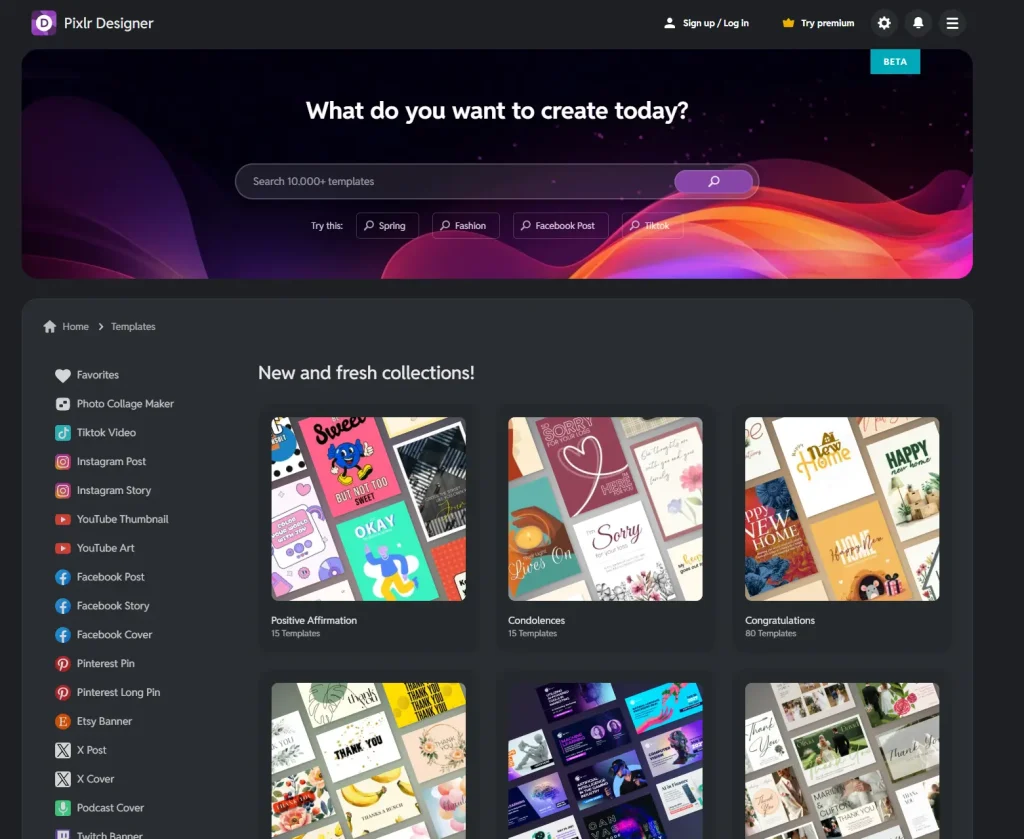
Top User Feedback & Experiences
Pixlr’s AI photo retouch is a lifesaver for my quick turnaround projects. It handles blemish removal and object cleanup with a level of precision I didn’t expect from a web-based tool. It’s significantly reduced my editing time for social media assets.
The Image Enhancement feature is a game-changer. I often deal with low-res client photos, and Pixlr’s ability to upscale and auto-enhance them into production-quality JPGs is impressive. It’s a professional-grade suite that stays fast and accessible.
I rely on Pixlr for rapid cleanup work. The AI photo retouch effectively removes watermarks and unwanted elements without leaving artifacts. The web-based interface is clean and works perfectly across all my devices, which is vital for my freelance workflow.
The auto-enhance tool is remarkably smart—it knows exactly how to fix lighting and color balance for low-quality images. As a pro user, I appreciate that I don’t need advanced technical skills to get high-resolution, transparent PNGs ready for my portfolio.
What sets Pixlr apart is the beginner-friendly interface combined with powerful AI cleanup. Being able to export high-quality, professional results directly from my browser without any installation has made our agency’s creative process much leaner.
Pixlr’s AI photo retouch is a lifesaver for my quick turnaround projects. It handles blemish removal and object cleanup with a level of precision I didn’t expect from a web-based tool. It’s significantly reduced my editing time for social media assets.
The Image Enhancement feature is a game-changer. I often deal with low-res client photos, and Pixlr’s ability to upscale and auto-enhance them into production-quality JPGs is impressive. It’s a professional-grade suite that stays fast and accessible.
I rely on Pixlr for rapid cleanup work. The AI photo retouch effectively removes watermarks and unwanted elements without leaving artifacts. The web-based interface is clean and works perfectly across all my devices, which is vital for my freelance workflow.
The auto-enhance tool is remarkably smart—it knows exactly how to fix lighting and color balance for low-quality images. As a pro user, I appreciate that I don’t need advanced technical skills to get high-resolution, transparent PNGs ready for my portfolio.
What sets Pixlr apart is the beginner-friendly interface combined with powerful AI cleanup. Being able to export high-quality, professional results directly from my browser without any installation has made our agency’s creative process much leaner.
Pros & cons
Pros
- Solid quality on the core use case
- Reasonable learning curve
- Fair pricing for the features you get
Cons
- Locked features behind the paid tier
- Occasional quality inconsistency
Features that matter
Detailed feature rundown coming from the WP post content above.
Hands-on
We used Pixlr in our real workflows over the review period. Output quality, speed, and edge-case handling all went into the scorecard above.
Pricing
Alternatives in AI Image
FAQ
Is Pixlr worth it?
Scored 80/100 in our testing — above our recommendation threshold for AI Image.
How does Pixlr compare to alternatives?
See the alternatives section above or our full side-by-side compare.